Web design & engineering · Case study
mukesh.wiki
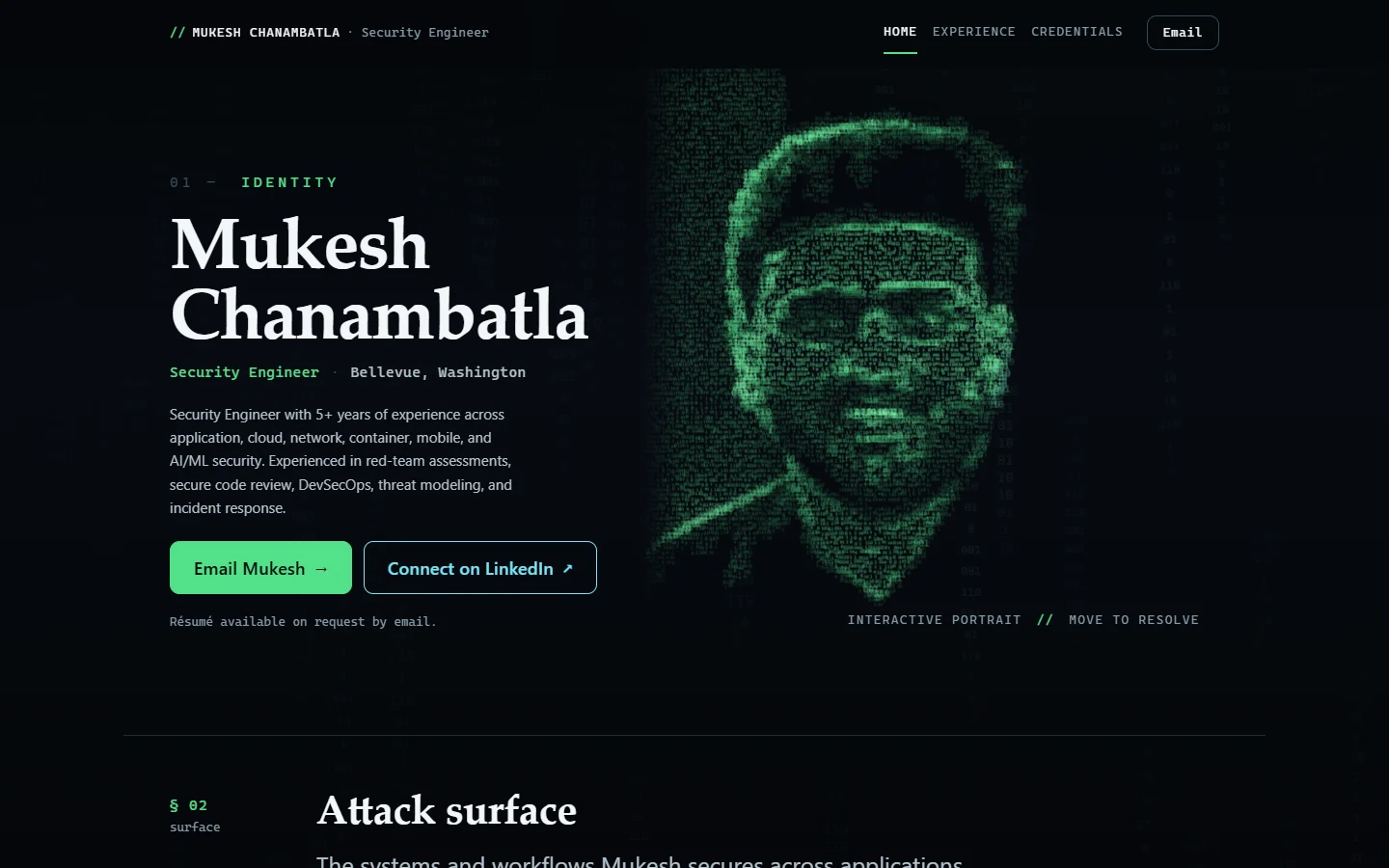
A security engineering portfolio that connects professional experience with an interactive visual identity.
- Role
- Website design and delivery
- Stack
- HTML · CSS · TypeScript · Vite · Canvas 2D · SVG · Vercel
Project snapshot: October 2026
Brief & role
The brief
Mukesh needed a portfolio that made his experience easy for recruiters and technical interviewers to explore. The three-page structure separates his introduction, experience and credentials, with clear contact options throughout.
I created the website and led its design and delivery. I defined the requirements, shaped the visual direction, directed refinements, reviewed the finished website and guided it through publication.
Signature interaction
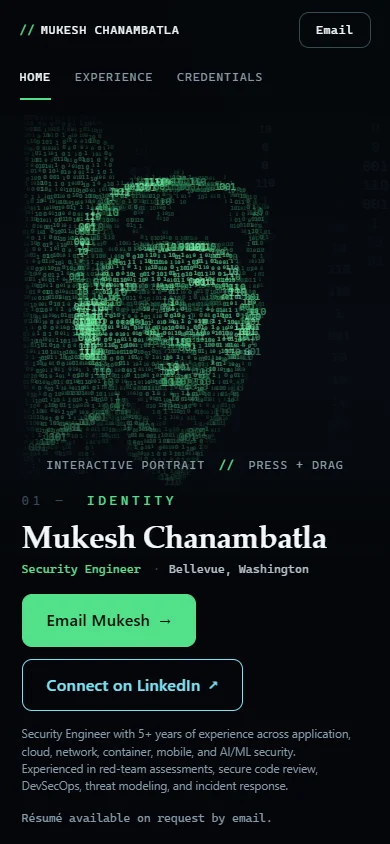
A portrait that responds to interaction
The portrait uses green binary characters drawn from a client-approved image. Moving the pointer over the face reveals colour nearby. The portrait settles after interaction, while the decorative background continues moving under the default motion setting.
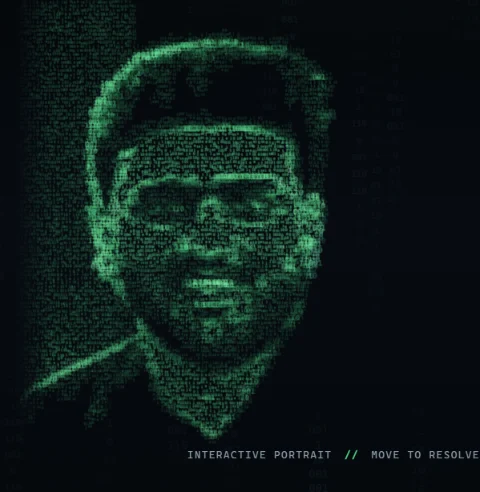
On load. Without pointer interaction, green binary glyphs follow the portrait’s tonal structure. The portrait is still while the background moves.
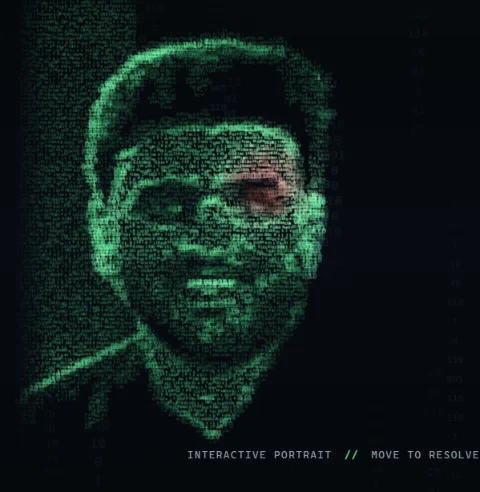
Pointer moving. As the pointer moves over the face, natural colour appears in the glyphs nearby.
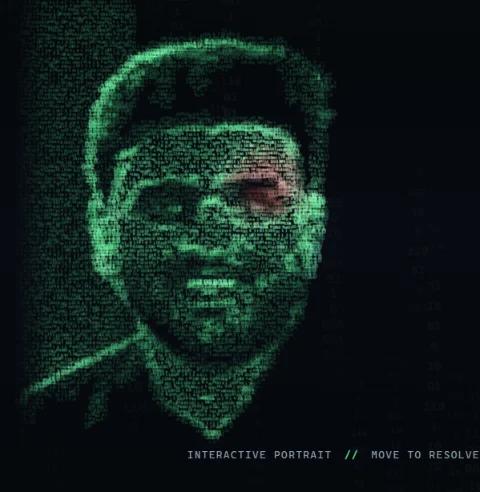
Settled. After the pointer stops, the portrait stops changing and keeps colour where the pointer rested. The background continues moving.
Fallback states, captured separately
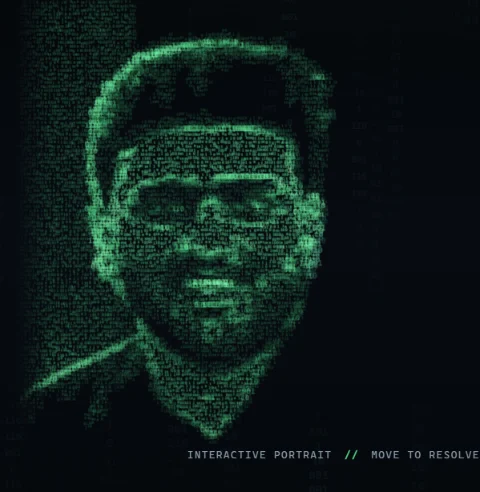
Reduced motion. With a reduced-motion preference emulated in the browser, the glyph portrait and background remain still.
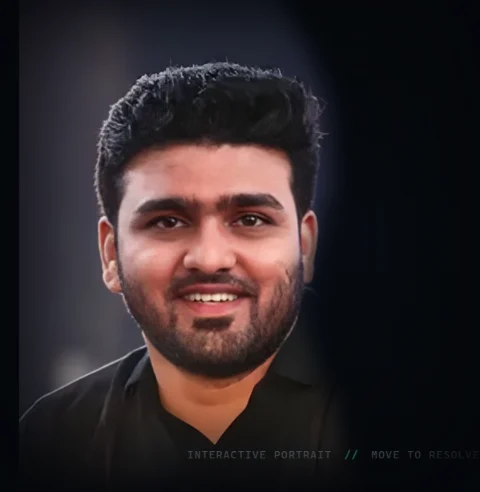
JavaScript disabled. With JavaScript disabled, a static image replaces the animated portrait.
Design details
Design decisions
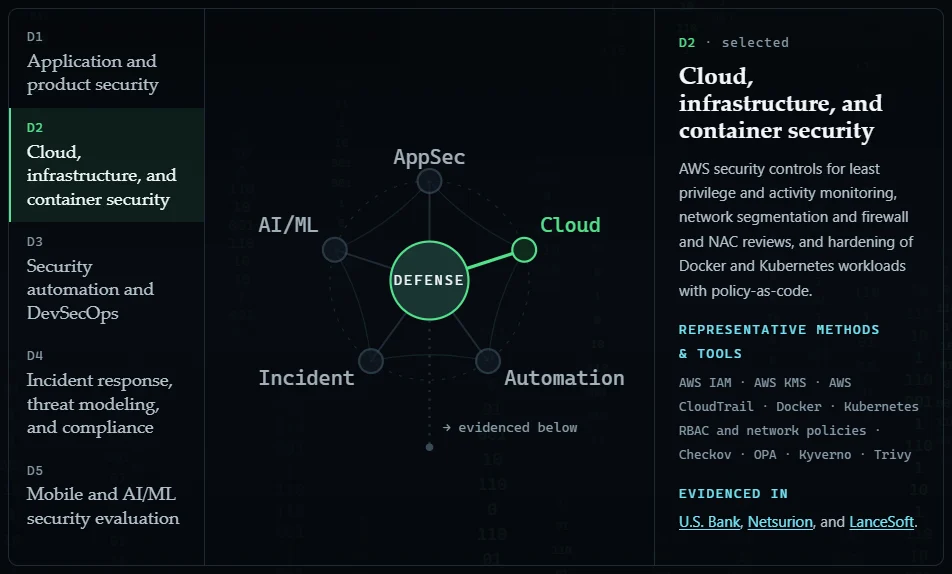
A connected capability map
The homepage links five capability domains to the experience that supports them.
Visitors can move from a skill area to its supporting professional context.
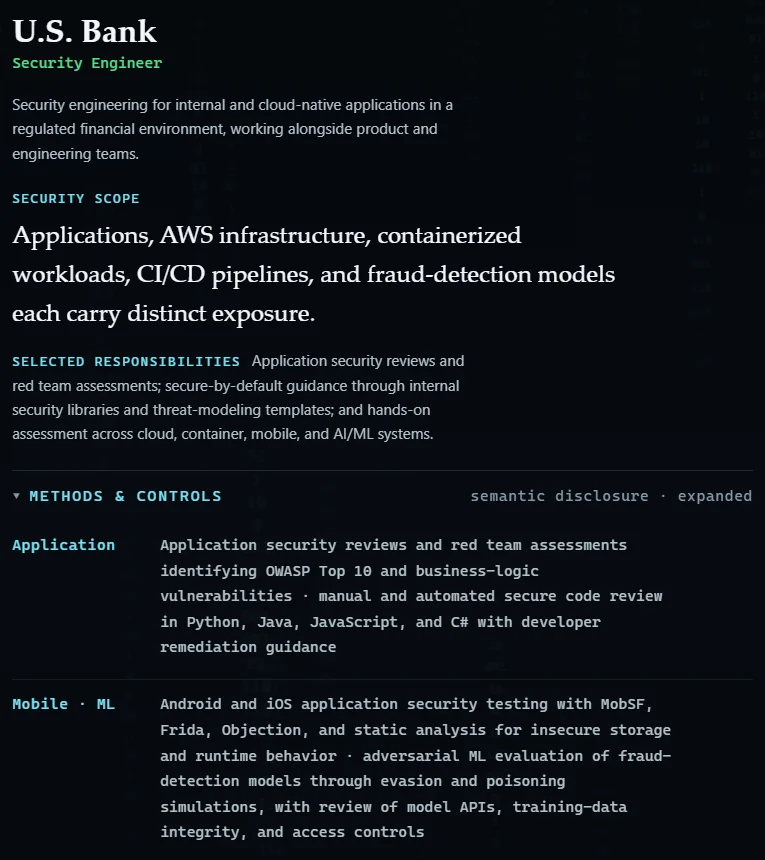
Technical detail on demand
The Experience page presents a chronological overview with expandable technical detail.
Readers can scan the overview and open the detail they need.

Three focused pages
Home, Experience and Credentials organise the content, with email and LinkedIn contact options and a résumé available on request.
Essential information and navigation remain available in HTML when JavaScript is disabled.
Desktop & mobile
Designed for desktop and mobile
Engineering
How it was built
How this site works
From the source code to what runs on your screen, in three delivery stages. Select a step for a short explanation.
The arrows show how the site reaches you, not the order in which each technology runs. Your browser also reads the HTML and CSS and runs the JavaScript built from TypeScript.
Source & build
HTML
Semantic HTML holds the content and navigation for all three pages, so they work without the visual effects.
CSS
Authored CSS sets the layout, typography and responsive behaviour, from small phones to wide screens.
TypeScript
Strict TypeScript checks types during development and validation. The built site runs JavaScript in your browser.
Vite
Vite builds the three pages into static files ready for hosting.
sharp Build-time only
sharp prepared the portrait image versions during development. It is a build tool and does not run on the live site.
Hosting
Vercel
The built files are hosted on Vercel as a static site.
In your browser
Canvas 2D
Canvas 2D draws the binary-glyph portrait and the moving background, and adds colour where the pointer passes.
SVG
SVG draws the capability map, connecting each skill to the experience behind it.
Content first, visual effects second
Semantic HTML contains the essential content and navigation. Canvas 2D renders the portrait, and SVG supports the capability map.
Trade-off: a static portrait and the HTML content are maintained alongside the interactive presentation so the site remains usable without JavaScript.
Rendering the portrait when needed
Image brightness and edges determine the character placement. The portrait responds to interaction, visibility and motion preferences.
Trade-off: the portrait stops redrawing once an interaction settles, reducing ongoing rendering work. This does not mean the decorative background stops.
A static build with TypeScript and Vite
Vite builds the three-page site from HTML, CSS and TypeScript. Build checks cover assets, file sizes and privacy; the site has no application backend or runtime package dependencies.
Trade-off: contact uses email and LinkedIn rather than an on-site form.
Quality · considerations · credits
Quality and considerations
Recorded checks
- The three live pages were reviewed in October 2026.
- Historical checks covered the build, layouts from 320 to 1920 pixels, zoom and reflow, keyboard navigation, direct section links, and emulated reduced-motion and forced-colour settings.
Known limitations
- Physical-phone, screen-reader and broader browser testing remain incomplete.
Role and credits
- I created and delivered mukesh.wiki, from visual direction to publication.
- Mukesh supplied his portrait and professional information. The security engineering experience presented is his.
- Vite and TypeScript support the build, sharp prepares image assets, and Vercel hosts the static site.