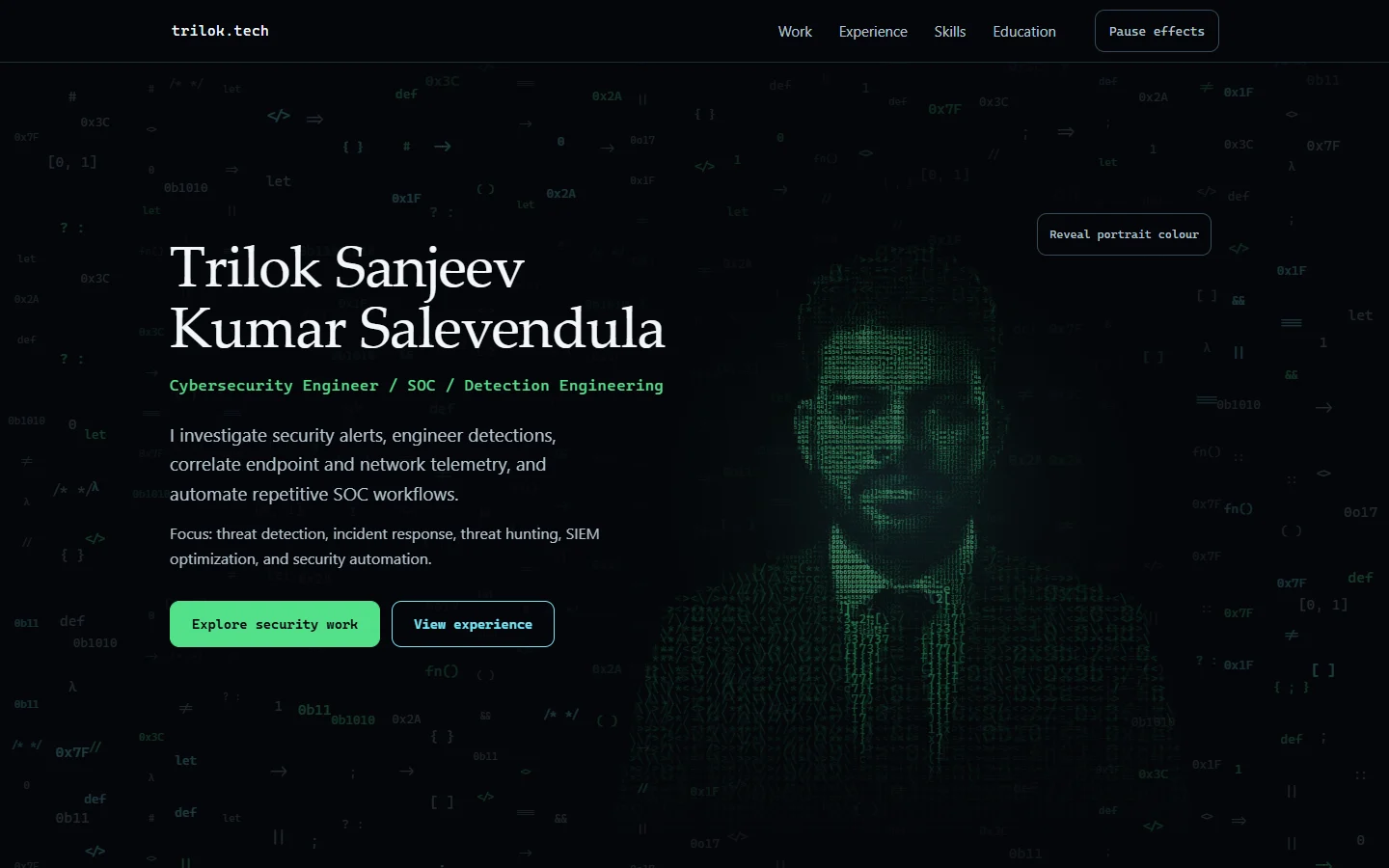
Web design & engineering · Case study
Trilok.tech
A cybersecurity portfolio with an animated coded portrait and clear controls for motion.
- Role
- Website design and delivery
- Stack
- HTML · CSS · JavaScript · Canvas 2D · Cloudflare
Project snapshot: October 2026
Brief & role
The brief
Trilok needed a portfolio that organised his career information for recruiters while expressing a distinctive cybersecurity identity. The design needed to work on phones and remain usable with reduced motion or without JavaScript.
I created the website and led its design and delivery. I shaped the positioning and visual direction, directed refinements to the portrait interaction and mobile presentation, reviewed the finished website on desktop and phone, and coordinated the launch.
Signature interaction
A portrait with controlled motion
The portrait is rendered as green characters with a subtle breathing animation. A reveal control introduces colour, while a separate pause control stops the effects. Reduced-motion and static alternatives are also available.
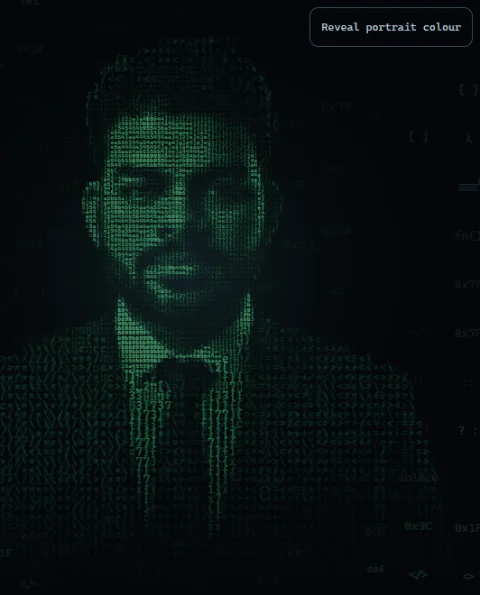
Rest. With default settings, the coded portrait breathes in green glyphs.
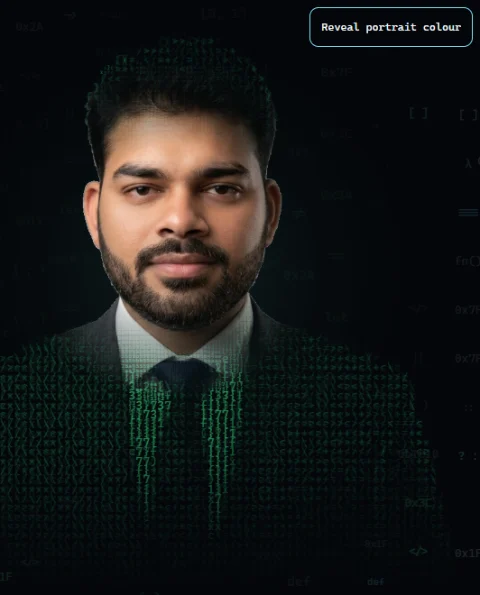
Reveal begins. Selecting “Reveal portrait colour” brings natural colour into the face while glyphs remain on the jacket.
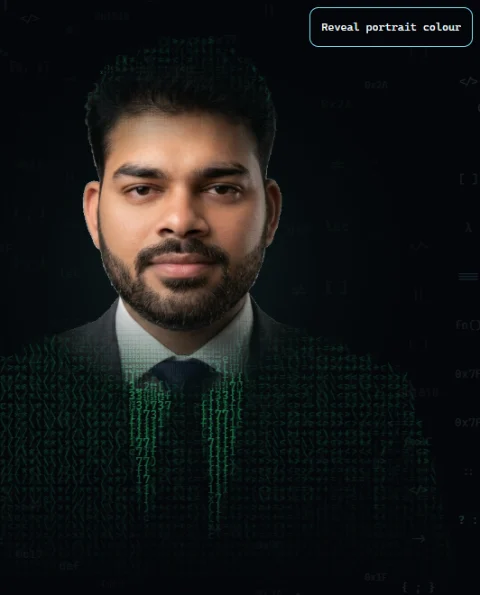
Revealed. Once revealed, the face stays in colour while the surrounding glyphs keep moving.
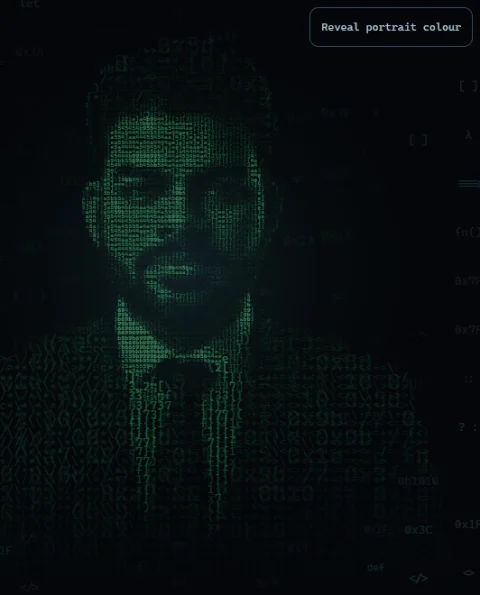
Manual pause, captured separately. With the portrait in its default green state, selecting “Pause effects” holds it still and changes the control to “Resume effects”. This still shows a different colour state from the video above.
Fallback states, captured separately
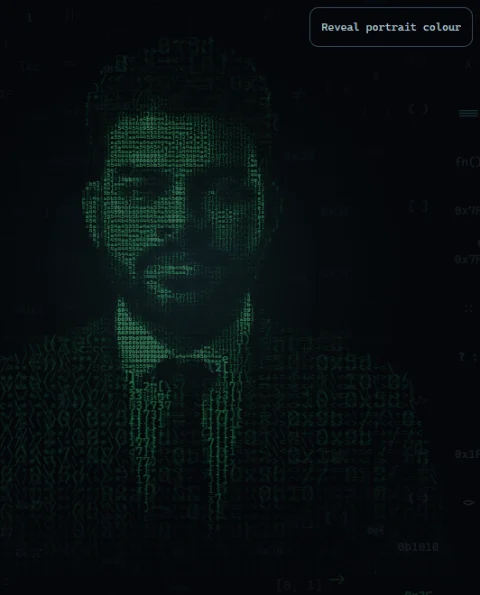
Reduced motion. With a reduced-motion preference emulated in the browser, the glyph portrait remains still.

JavaScript disabled. With JavaScript disabled, a static image replaces the animated portrait.
Design details
Design decisions
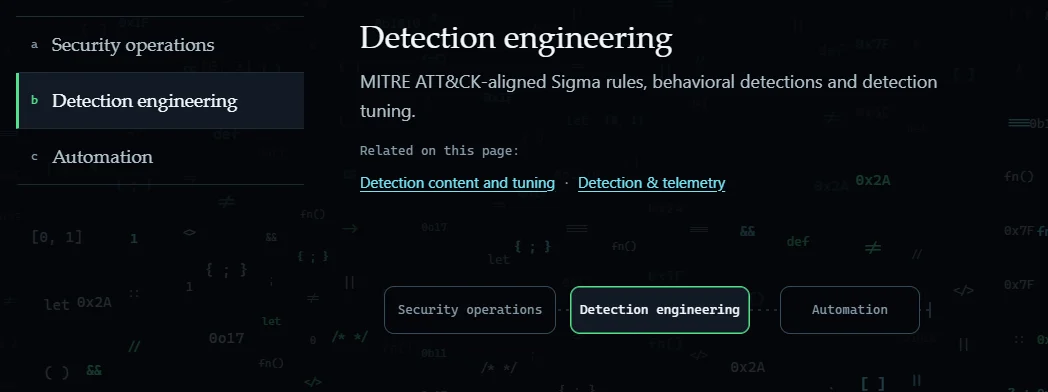
Connected capability navigation
Selecting a capability updates its panel, highlighted state and browser history together.
This keeps the selected content consistent across links, keyboard navigation and the Back button.
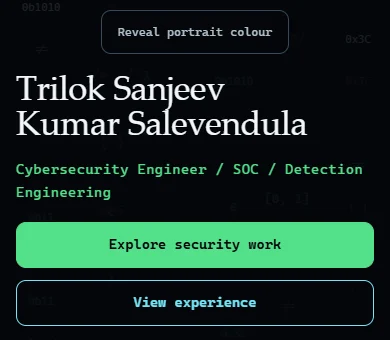
A mobile layout with clear actions
On phones, the reveal control sits below the portrait and the main actions use equal-width buttons.
The controls have their own space instead of competing with the portrait.

A restrained technical palette
A dark background combines serif headings, monospace accents, mint primary actions and cyan secondary controls.
These choices distinguish the page’s name, role and actions without adding competing visual styles.
Desktop & mobile
Designed for desktop and mobile
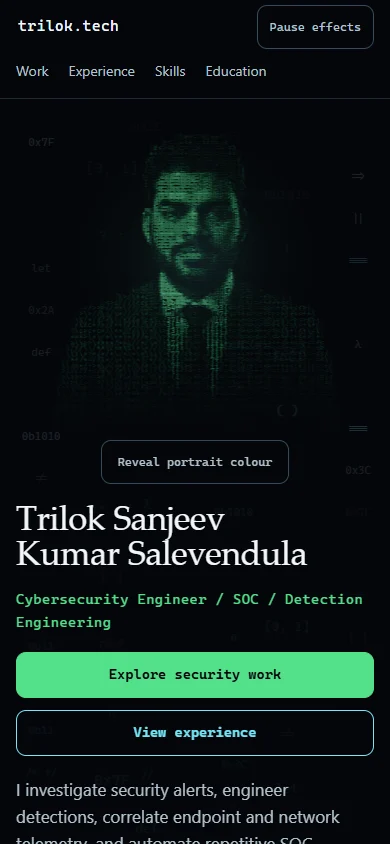
Engineering
How it was built
How this site works
From the source code to what runs on your screen, in three delivery stages. Select a step for a short explanation.
The arrows show how the site reaches you, not the order in which each technology runs. Your browser also reads the HTML and CSS and runs the JavaScript.
Source & build
HTML
Plain HTML holds the content, headings and links, so everything important is readable before any effects load.
CSS
CSS sets the layout, colour and responsive spacing, including the phone layout and the reduced-motion styles.
JavaScript
Vanilla JavaScript, with no framework, adds the interactive parts, such as the portrait controls.
Hosting
Cloudflare
The finished files are hosted as static assets on Cloudflare and delivered over HTTPS.
In your browser
Canvas 2D
Canvas 2D draws the coded portrait and the moving code-style background. “Reveal portrait colour” and “Pause effects” control it, and a still image replaces it when JavaScript is off.
Preparing the portrait before it loads
The JavaScript includes precomputed data for drawing the portrait, reducing the work needed when the page starts.
Trade-off: this adds download size in exchange for less initial computation. Recorded comparisons checked the rendering against the earlier version, and a fallback handles unusable data.
Keeping navigation state in the URL
Capability panels and selected states follow the URL, allowing direct links and browser navigation to use the same selection.
Trade-off: each selection adds a history entry, so the Back button steps through earlier selections.
Static hosting on Cloudflare
The site uses static files hosted on Cloudflare. Release checks compare the published files with the reviewed version.
Trade-off: the site has no application backend, so résumé requests open the visitor’s email app.
Quality · considerations · credits
Quality and considerations
Recorded checks
- Launch checks covered published files, HTTPS, security headers, redirects and missing-page responses.
- The implementation report recorded passing unit tests; a separate reviewer reran the release-specific subset. These are historical results, not a new full-site audit.
- I checked the site’s controls on a phone. The recorded check did not include device or browser versions.
Known limitations
- In recorded pre-launch mobile tests, the coded portrait took around 3–4 seconds to become ready, exceeding the project’s 2.5-second target. This measured portrait readiness, not overall page load.
- Firefox, Safari and screen-reader coverage remains incomplete.
Role and credits
- I created and delivered Trilok.tech, from visual direction to launch.
- Trilok supplied his professional content and approved an AI-generated portrait source. The cybersecurity experience presented is his.
- The dark visual direction and coded portrait draw on mukesh.wiki as a design reference.